
Quick answer
To move your films from Vimeo On Demand to Vidreno, save your records and film files, create a Vidreno account, upload one title, choose its selling options and test the new page before replacing your old links. Treat existing viewers separately: uploading a film does not transfer their previous purchases or accounts.
This guide is for creators who want their individual films back on sale. It gives you a working checklist, a simple inventory and wording you can adapt when telling your audience about the move. For the shorter product overview, see our Vimeo On Demand migration page.
Instructions and linked sources were checked on 25 September 2026. Vimeo says viewer access ends on 20 November 2026. Its viewer FAQ explains what that means for existing purchases and rentals. Work through the records and access questions early, even if you're still preparing your new sales pages.
What should you collect before moving a film?
Make a folder for each title. Put the playable film file, artwork, trailer, description, captions and any release notes together. If you already have the master file, use your own copy rather than downloading another version without checking its quality.
| Record | What to write down | Why it helps |
|---|---|---|
| Film and version | Title, runtime, language and final file name | Avoid uploading the trailer or an older edit by mistake |
| Sales page | Old Vimeo URL, intended Vidreno URL and price | Track the links you need to replace |
| Assets | Artwork, synopsis, trailer and caption files | Keep the new listing consistent |
| Viewer questions | Your contact route and agreed approach to previous buyers | Answer people consistently when they ask about access |
| Checks | Playback, price, mobile review and link update status | See which titles are ready to announce |
You don't need to move everything at once. Pick a representative title first, especially if your catalogue contains different languages, versions or rental arrangements.
How do you save sales records and fan emails?
Vimeo's seller FAQ recommends exporting sales data from the analytics dashboard. For fans who opted in to updates, open the On Demand page settings, choose the Audience tab and use Export email addresses. This is not a complete buyer list, and it is not an import of purchased access into Vidreno.
Keep those files private and separate from anything you upload as public article or film content. Label each export with the title and export date. Review the totals against your own records while you still have access to the original dashboard.
A fan email list and a sales report answer different questions. One helps you contact people who asked for updates. The other records transactions. Don't treat either as proof that a new platform has created matching viewer accounts.
How do you download your own film files from Vimeo?
Vimeo's library download instructions say to open the right workspace and video, use the arrow beside Share, then choose Download and the version you want. The feature requires a paid account, and Vimeo says library downloads are not available in bulk.
Open every file after saving it. Check the first scene, a point near the middle and the ending, then confirm audio and runtime. Keep a second copy somewhere separate before relying on the file for your new listing. Saving a file is only useful if you can play the right version.
What will selling on Vidreno cost?
You can create your account without buying a subscription. Vidreno On Demand takes a flat 10% per sale including payment processing. Paywalled films sit outside the storage and bandwidth limits of the separate Hosting plans.
| Item | Cost or amount after the platform fee |
|---|---|
| Required monthly subscription | None |
| Platform fee | Flat 10% per sale, payment processing included |
| A $10 purchase | $1 fee; $9 left after that fee |
| A $4 rental | $0.40 fee; $3.60 left after that fee |
These are USD examples of the selling fee, not a prediction of earnings. If you're still deciding between providers, our Vimeo OTT comparison explains the difference between selling titles and running a subscription channel.
How do you prepare your first Vidreno title?
Create your account, then upload the film you selected for your first check. Vidreno's published workflow supports MP4, MOV and AVI files. Let the upload and processing finish before judging playback.
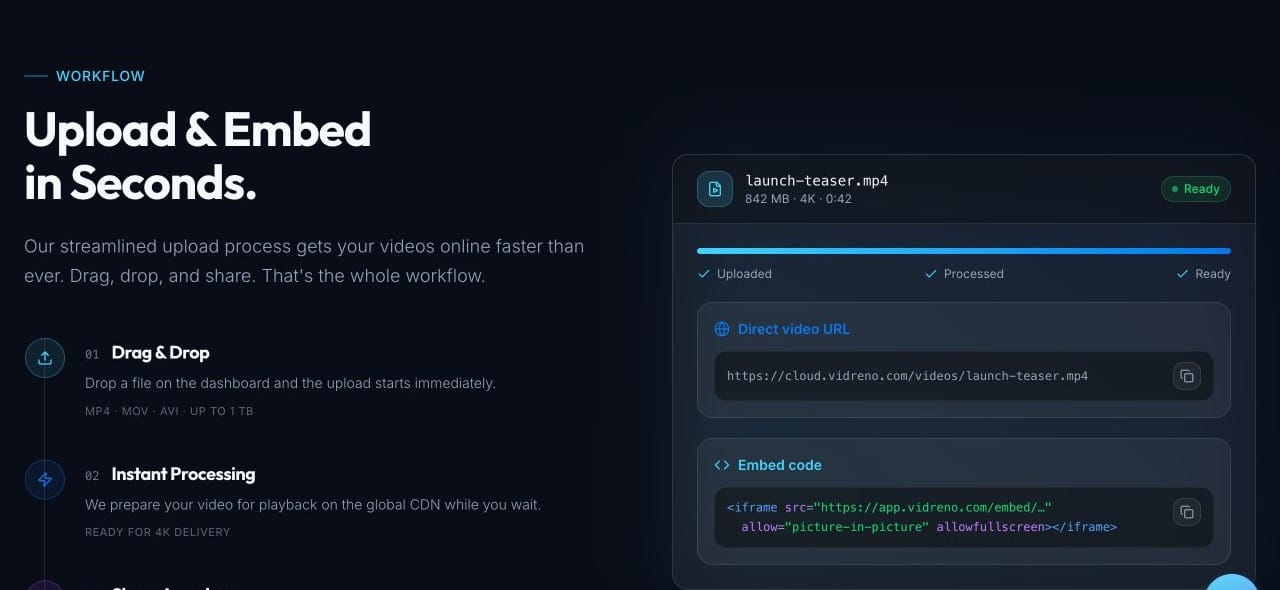
Bring across the title and description carefully. Use a synopsis that helps someone decide whether to watch, rather than pasting technical delivery notes into the public page. Check spelling, credits and any promises about captions or bonus material against what is actually available.
This is a manual preparation guide, not an automatic Vimeo import. We haven't assumed that a button will copy your catalogue, accounts or purchase history between the services.
Should the film be available to buy or rent?
Choose the offer that matches the film's release. A purchase and a rental are different promises, so make the wording around the price clear. Vidreno also offers free access with pay what you want for work you want to share more openly.
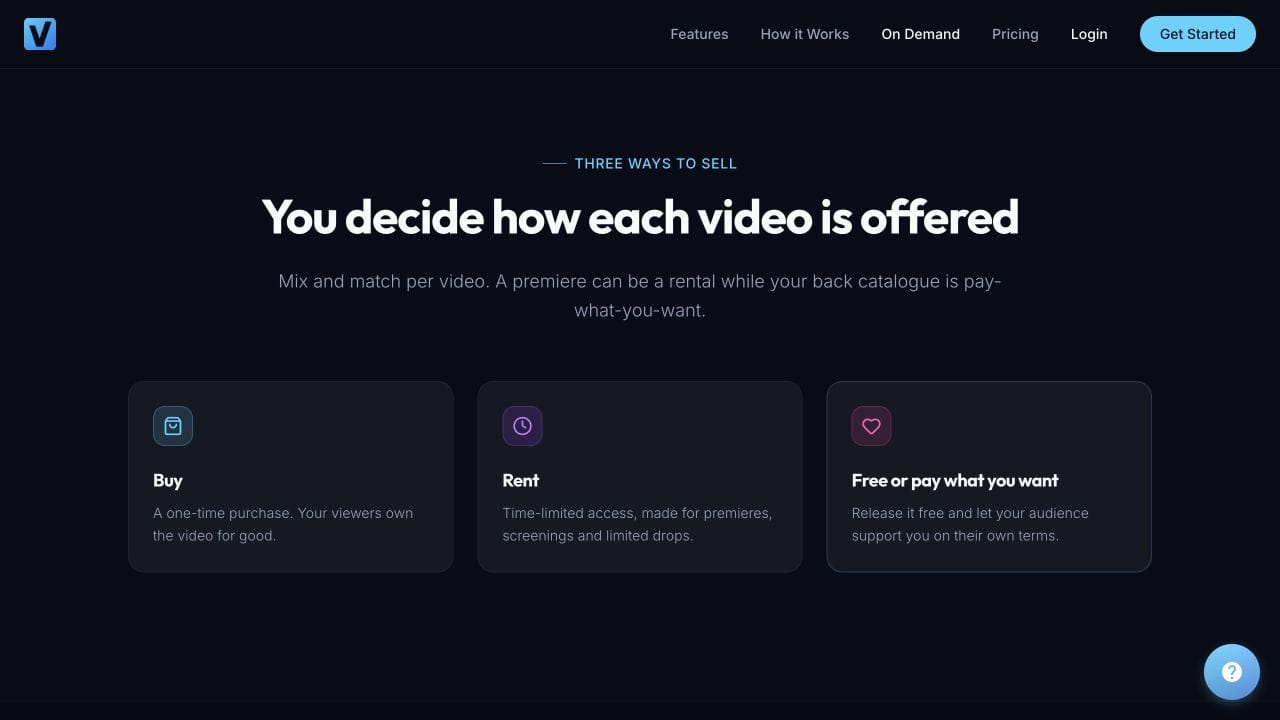
If you're planning a limited viewing window, confirm the exact rental behaviour and duration in the settings before advertising it. Don't copy an old Vimeo rental promise onto the new page without checking it. The same applies to downloads, bonus files and caption options.
What should you test before sharing the new link?
- The film: check that the page contains the correct edit, audio and runtime.
- The offer: confirm the price and whether the visitor is buying or renting.
- The page: review the artwork and description on a phone and a laptop.
- The visitor experience: open the public link while signed out and check that the next step is clear.
- The access rules: verify the configured viewing terms before making promises in your announcement.
- The support route: tell viewers where to ask for help.
Where a platform offers a documented test checkout, use it. Otherwise plan a controlled purchase only when you're ready for a real charge, and check the refund terms first. An upload preview alone doesn't prove the full buying journey works.
How should you tell existing viewers about the move?
Keep the message calm and specific. Explain where new sales now happen, distinguish that from previous Vimeo purchases and provide one contact route for access questions. Don't ask people to buy again without explaining the situation.
Our film is now available on Vidreno. You can find the new page at [new film link]. If you previously bought or rented it through Vimeo On Demand, that purchase does not automatically create access here. Please check Vimeo's notice for your existing viewing options. If you have a question about your earlier purchase, contact us at [your contact address] so we can explain the options.
Adapt that wording to the arrangements you can actually honour. Contact fans through the channels they agreed to receive updates through. A public notice on your own website can help viewers who are not on your mailing list.
Before relaunching, it helps to think beyond the upload. In this Film Courage interview, Josh Folan discusses the assets and marketing involved in distributing a film yourself. Use it as background for preparing your release, not as current migration instructions.
Where should you replace the old Vimeo links?
Start with pages you control: your film website, trailer descriptions, social profile links, newsletter templates and press kit. Update one row of your inventory at a time, then open the new link from that page to check it.
For festival listings or press articles you can't edit, note who manages the page and request an update. Don't assume Vimeo will redirect an old storefront address to your new Vidreno page. Keep your own central film page current so future links have somewhere stable to point.
Frequently asked questions
Will uploading my film transfer previous purchases?
No. This workflow creates a new listing. It does not recreate Vimeo buyer accounts or entitlements. Decide how to handle earlier buyers before announcing the move.
Do I need to move all my films in one day?
No. Test one title, then work through the rest using your inventory. Upload time, processing and the amount of checking needed depend on your files and catalogue.
Do I need a paid Vidreno Hosting plan?
Not to sell paywalled films through On Demand. Selling uses the flat 10% fee described above. Hosting for videos embedded in your own website or app is a separate service.
Will Vimeo delete my underlying video files at shutdown?
Vimeo's seller FAQ says the underlying videos remain subject to your account's storage terms. That is different from continued access through an old On Demand storefront. Keep your own backups regardless.
Can I keep the same film price?
You can choose a price for the new offer. Check what the viewer receives and calculate what remains after fees before copying your previous price.
What if a previous buyer asks for help?
Review their question against your records and the arrangements you can provide. Don't promise complimentary access, refunds or transferred purchases unless you have confirmed how you will deliver them.
Start with one film today
Gather the files, create your account and prepare a single title. Once its page and viewing terms are right, you have a repeatable process for the rest of the catalogue.