
Putting a video on your website does not automatically mean your web host sends the whole video to every viewer. It depends on where the browser gets the media. That is the detail I would check before blaming a busy video for a larger website bill.
This guide is about videos embedded in websites and apps. We will trace the delivery route, separate the allowances and show you where to look in a browser. For the amount of delivery you need, use our separate video bandwidth planning guide.
Which part of the page uses which bandwidth?
Think of a page as a set of deliveries. Its text, layout, images, player and video can arrive from different places. The address in the browser bar tells you which page you opened. It does not identify the supplier of every file inside it.
| What loads | Where it may come from | Which allowance to check |
|---|---|---|
| Page HTML, styles and site scripts | Your web host or website CDN | Your website hosting or CDN plan |
| Video poster or thumbnail | Your website, an image service or the video provider | The service serving that image |
| Embedded player | The provider named in the iframe or player script | The provider's definition of billable usage |
| Video file or streaming segments | A video service, your server or a CDN | The account paying for that delivery route |
| Video sent through your own proxy | Your server fetches it and sends it onwards | Both the upstream service and your outgoing transfer terms |
Bandwidth also has two common meanings here. A connection speed is a rate, such as megabits per second. A hosting allowance is usually an amount transferred during a billing period, such as gigabytes per month. Moving video delivery elsewhere changes which account handles those bytes. It does not make the bytes disappear.
Does an iframe keep video traffic off your server?
Usually, when it loads a video service that delivers the media directly to the visitor. An iframe embeds another document inside your page, as MDN's iframe reference explains. Your server can send a small piece of embed markup while the browser makes separate requests for the player and video.
But an iframe is a container, not a billing promise. It could point to your own page, and that page could load a video from your own server. Equally, an ordinary HTML video element can play a file hosted elsewhere. The media request matters more than whether the markup says iframe or video.
A branded address such as video.example.com is not proof that your website host supplies the video. It might point at a separate CDN. Ask who operates that route and which account pays for it. A browser can show the destination; your hosting configuration and provider terms explain the bill.
A simple example of two separate delivery totals
Imagine a product page that transfers 2MB of website assets per visit. Its externally hosted video transfers another 40MB when someone watches it. With 1,000 visits and one complete viewing per visitor, the simplified split is 2GB from the website service and 40GB from the video service.
If the same server delivered everything, that server would instead send roughly 42GB. If your server relayed the externally stored video through a proxy, it could still send that 40GB to viewers as well as receiving it from upstream. Merely storing the original file elsewhere would not remove that outgoing transfer.
These are illustrative figures using decimal units, not a measurement of Vidreno or a customer's website. They assume no caching, retries, repeat plays or extra player requests. Real playback can fetch different amounts depending on quality, watch time and buffering. Use the example to identify the bill, then use your provider's usage report to plan capacity.
How to find where an embedded video comes from
In Chrome, open Developer Tools and select Network before reloading the page. Start the video, then inspect the requests:
- Open the request table's column menu and enable Domain or URL.
- Try the Media filter. Also check Fetch/XHR or All if the player fetches streaming segments through scripts.
- Select a relevant request and inspect Headers. Follow the media destination, not just the player document.
- Match that service to the account and allowance paying for delivery.
The official Chrome Network reference documents these controls. Its totals describe captured browser requests, not your monthly invoice. Cached resources and provider billing rules can make those figures differ.
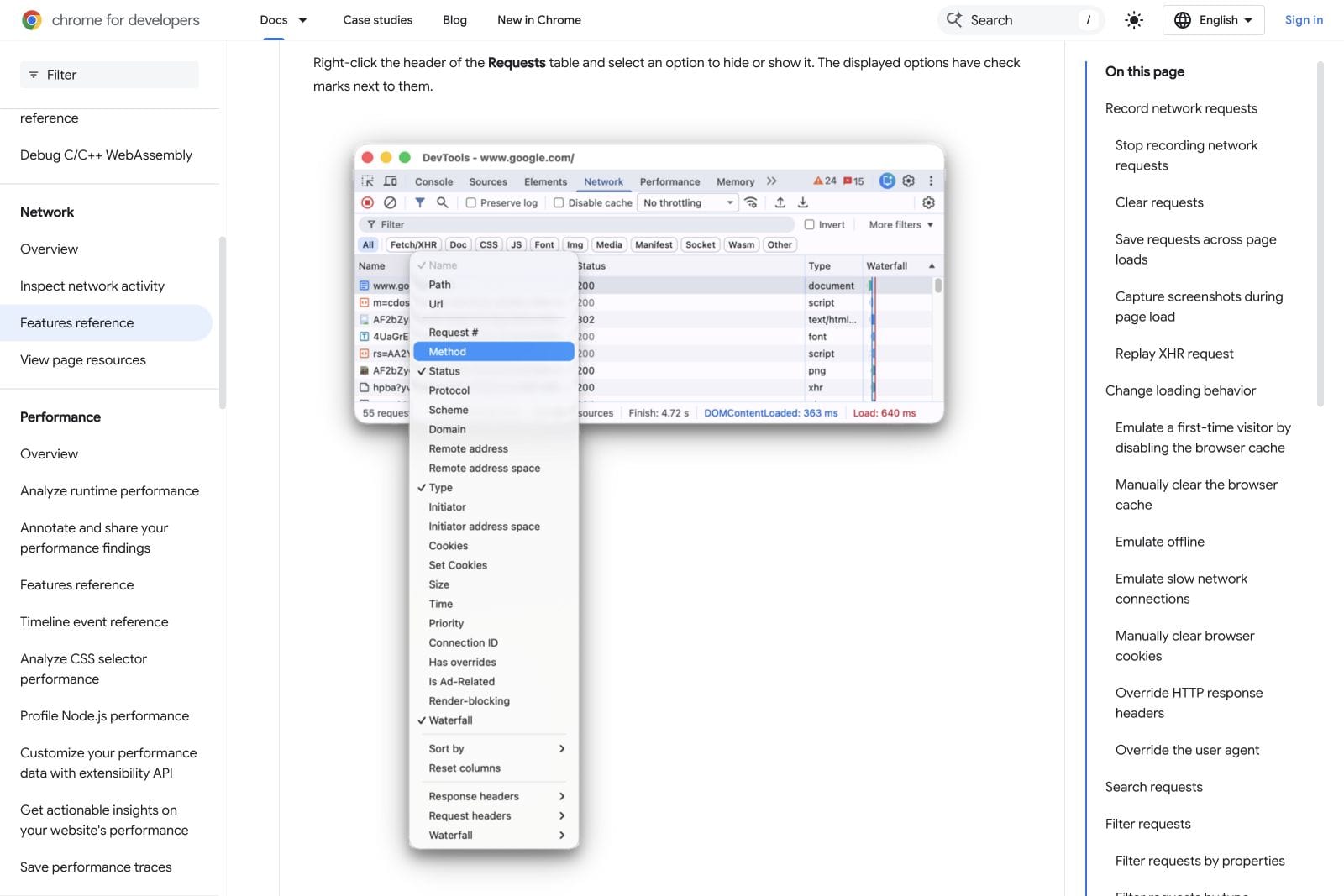
The official Chrome Developers video below is a useful introduction to following requests. It uses an older interface, so use the current written reference above for today's controls.
Watch the Chrome Network tutorial on YouTube if the embed does not load.
Where Vidreno Hosting fits
Vidreno Hosting lets you keep the viewing experience inside your website or app while using a dedicated video service. You are embedding a player, rather than uploading the video into your website's own file library. This is separate from Vidreno On Demand, which is for public film purchases and rentals.
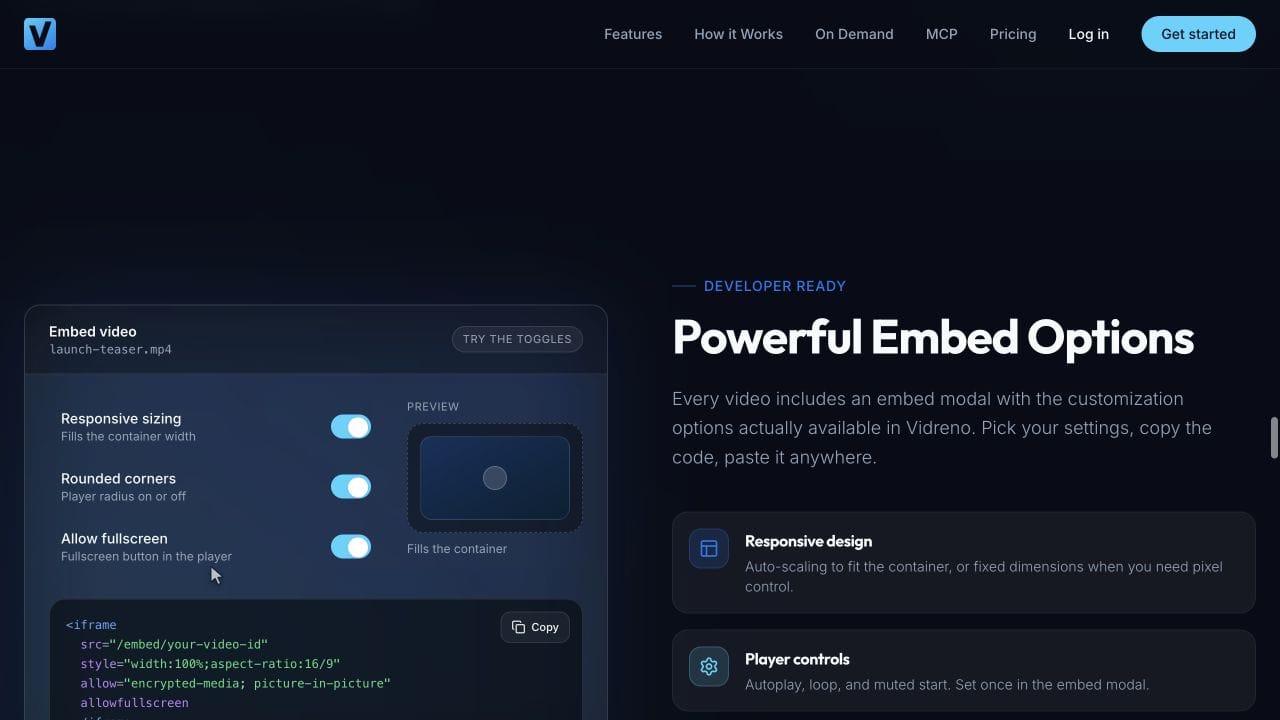
The player has a clean design, and you can change its colours to suit your site. The homepage also demonstrates responsive sizing and embed options. Those presentation choices help the player fit your page; they do not turn a finite delivery allowance into an unlimited one.
The current Free plan includes 20MB of storage and 50GB of monthly bandwidth. A small video that fits those allowances can be hosted without a monthly plan charge. Check both numbers: plenty of delivery does not make a large original file fit into 20MB of storage.
For a larger library or audience, compare the current paid allowances with your expected usage. Our guide to what video hosting allowances actually cover explains the questions to ask before a busy campaign.
What this does and does not solve
Separate video delivery can keep media transfer away from your website hosting allowance. Your page still needs to load its own assets, and the visitor still needs enough connection speed to watch. A slow player is not automatically evidence that the website host is running out of bandwidth.
If the problem is interrupted playback rather than the bill, follow our embedded video buffering guide. It helps separate delivery problems from device and playback problems without confusing those with monthly usage.
Frequently asked questions
Does watching an embedded video use the visitor's mobile data?
Yes, when the device downloads it over a mobile connection. Hosting the video elsewhere changes the server supplying it, not the fact that the viewer receives data. Previously cached content may reduce a later download.
Will the video count against my website hosting plan?
It generally will if your website host sends the video bytes. If the browser receives them directly from a separate video service, check that service's allowance instead. A proxy or your own CDN can change the route and the billing responsibility.
Does a custom video domain mean I am hosting the files myself?
No. A custom domain can lead to another provider's infrastructure. Confirm the destination and the account responsible for delivery rather than judging by the name alone.
Can a thumbnail use website bandwidth even when the video does not?
Yes. If you upload the poster image to your website, that image can be served by your web host while the video arrives from elsewhere. Each resource has its own delivery route.
Can video data load before someone presses play?
Yes. Autoplay, player behaviour and preload choices can cause requests before an explicit play action. The HTML video reference describes preload as a hint to the browser, not a guarantee. Inspect the actual page if early loading matters.
Does embedding one video on several pages multiply its storage?
Reusing the same hosted video normally references the same stored asset. It can still create more delivery as people watch from those pages. One upload is not one fixed amount of lifetime traffic.
Start with a small video, put the player on a real page and check that its delivery route matches the allowance you expect to use. Vidreno gives you a free starting point for that first website video.